
A live flight tracker that tells you when it is behind
Where the aircraft is right now, how high, how fast, which gate, and how late. Plus the part most trackers skip: an honest line about how old that information is.
Light chop mid-Atlantic around 14:20. Seatbelt-sign bumpy, not scary. Smooth into New York.
Every tracker is a few minutes behind. Only some admit it.
Flight data arrives from several places at different speeds. Airline systems publish gate and status changes on their own schedule. Aircraft broadcast their position continuously over radio, but only where a receiver is listening — which is most of the land on earth and much less of the ocean.
So there are moments when a tracker genuinely does not know. The usual response is to keep showing the last thing it saw: a plane parked at a gate it left twenty minutes ago, or a landing time that quietly stopped being true. FlyBud does something duller and much more useful. It shows "probably in the air", tells you when it last checked, and tells you when it will check again.
Above the ocean it does the same thing with position. When the aircraft's own broadcast is being received, you get measured altitude, ground speed, true airspeed, the wind it is riding and the outside air temperature. When it isn't, you get a sensible estimate that is labelled as one — never a modelled number dressed up as a reading.
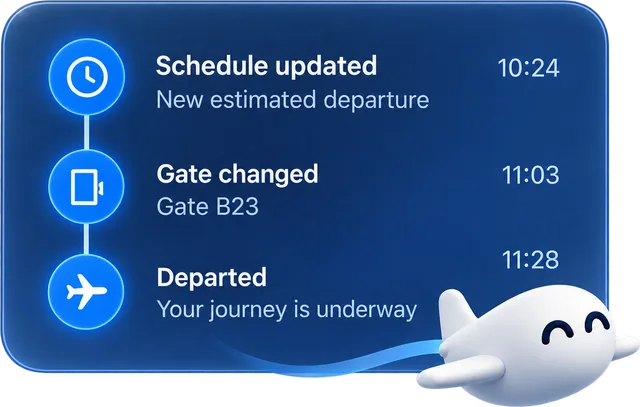
What the flight tracker shows you
Is it on time?
Status and clocks with the new time over the struck-out old one, so a change reads as a change instead of quietly replacing itself.
Where do I go?
One chip for the one number you walk to: the gate before departure, the check-in desk before that, the baggage belt after landing.
Where is it now?
Position, altitude, ground speed and progress along the route — measured from the aircraft's own broadcast whenever it is being heard.
Read more →Will it be bumpy?
A turbulence forecast along the whole route, on the same card, because for a lot of people that is the actual question.
Read more →Delay and gate alerts, without opening the app
The point of a tracker is to stop looking at it. Gate changes, delays, boarding, takeoff, landing and "bags are on belt 7" arrive as notifications, in your language.
Flight tracking questions.
Can I track a flight without creating an account?
Yes. Add a flight number and a date and it tracks. An account is only needed to keep your flights across devices and to receive notifications, because a notification has to be delivered to someone.
How do you track a flight over the ocean?
Aircraft broadcast their position, altitude and speed continuously, and a worldwide network of volunteer ground receivers picks that up. Over land the coverage is dense. Over the middle of an ocean there is often nobody listening, so the position becomes an estimate — and FlyBud labels it as one rather than drawing a confident aircraft at a made-up point.
How often does it update?
More often as the flight gets closer, and most often in the hours around departure and arrival — that is when things actually change. Each card shows when it was last checked and when it will check next, so you never have to guess whether you are looking at something stale.
Can someone else follow my flight?
Yes, and this is genuinely one of the most useful things in the app. You can mint a public link to a live page for your flight and send it to whoever is collecting you. It carries the flight and nothing about you, and you can revoke it afterwards.
My flight number isn't found. Why?
Usually one of three things: the flight is more than a few days out and not yet in the schedule feeds, it is a codeshare number rather than the operating airline's own, or it is a charter or cargo flight that is not published. Searching by route and date instead of by number finds the operating flight in most of those cases.
Stop refreshing the departures board.
Add the flight once. FlyBud does the checking and tells you only when something changed.